Table of contents
- Overview
- Deployment
- User Guide
- Community Feedback
- Developer Guide
- Development History
- Effort Estimation Report
- Team
Overview
Recycling has an emphasis in Hawai’i with the common saying “malama i ka ‘aina,” meaning to care for and protect the land. UH Manoa is a large campus, and albeit convenient to toss bottles/cans into trash bins, this does not effectively help with protecting the environment. The Cycle5ense application allows for users on campus to easily locate recyclable locations through a map and provides additional information about recycling on other pages.
- GitHub Organization of Cycle5ense conatining all its repositories
Current Project Status: 
User Guide
This section provides a walkthrough of the Cycle5ense user interface.
Landing Page
The landing page is presented to users when they visit the top-level URL to the site.

Sign Up
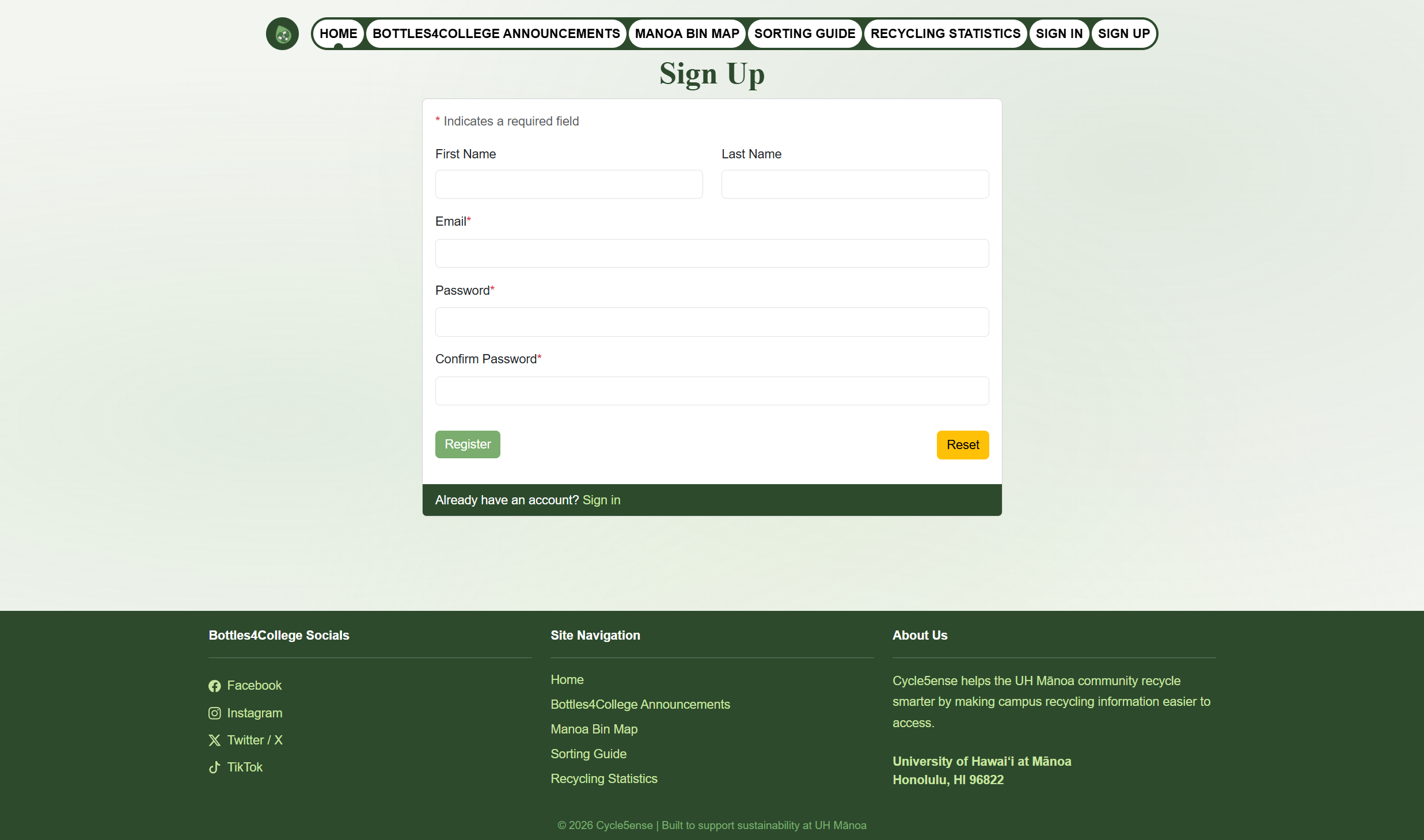
The Sign Up page allows new users to create an account. Users can register by providing their name, email address, and a password.
Sign In
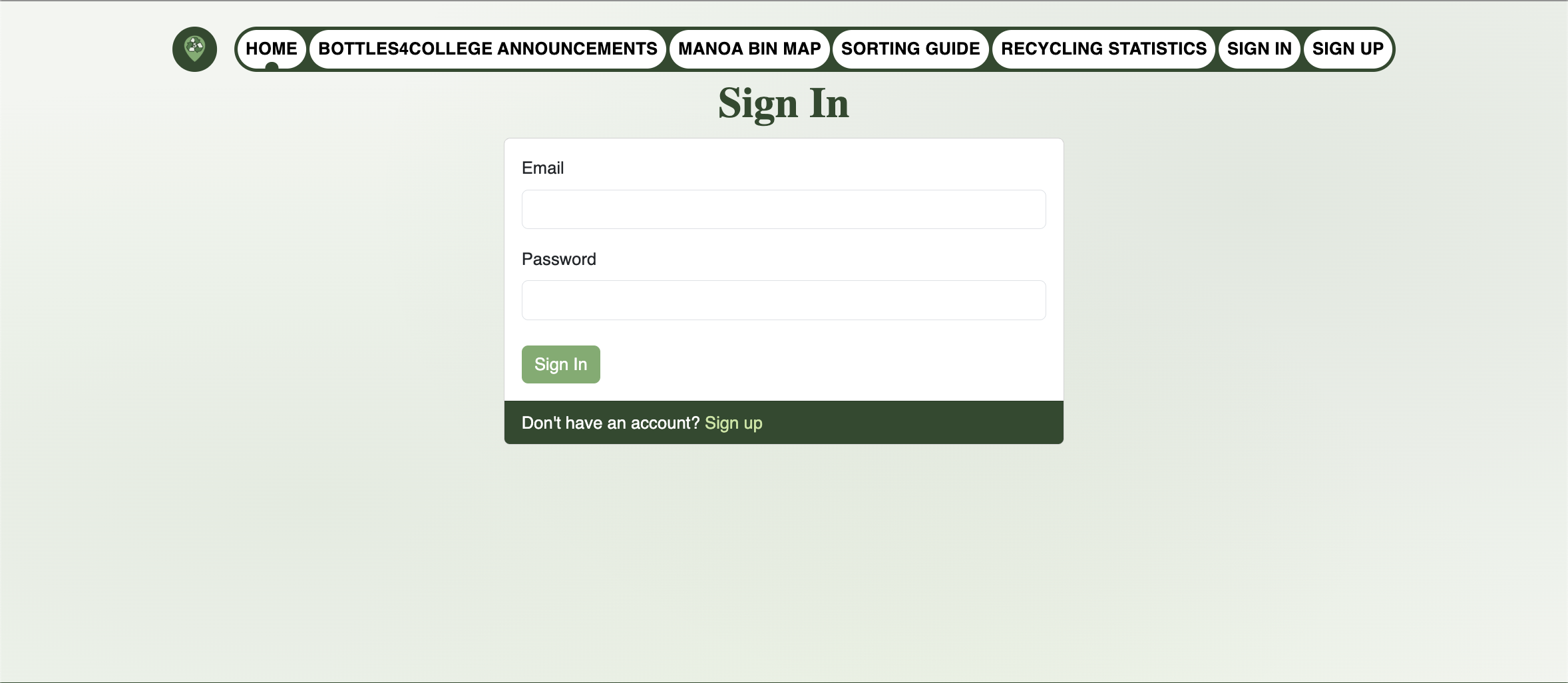
The Sign In page allows existing users to log into their account using their registered email address and password.
Sign Out
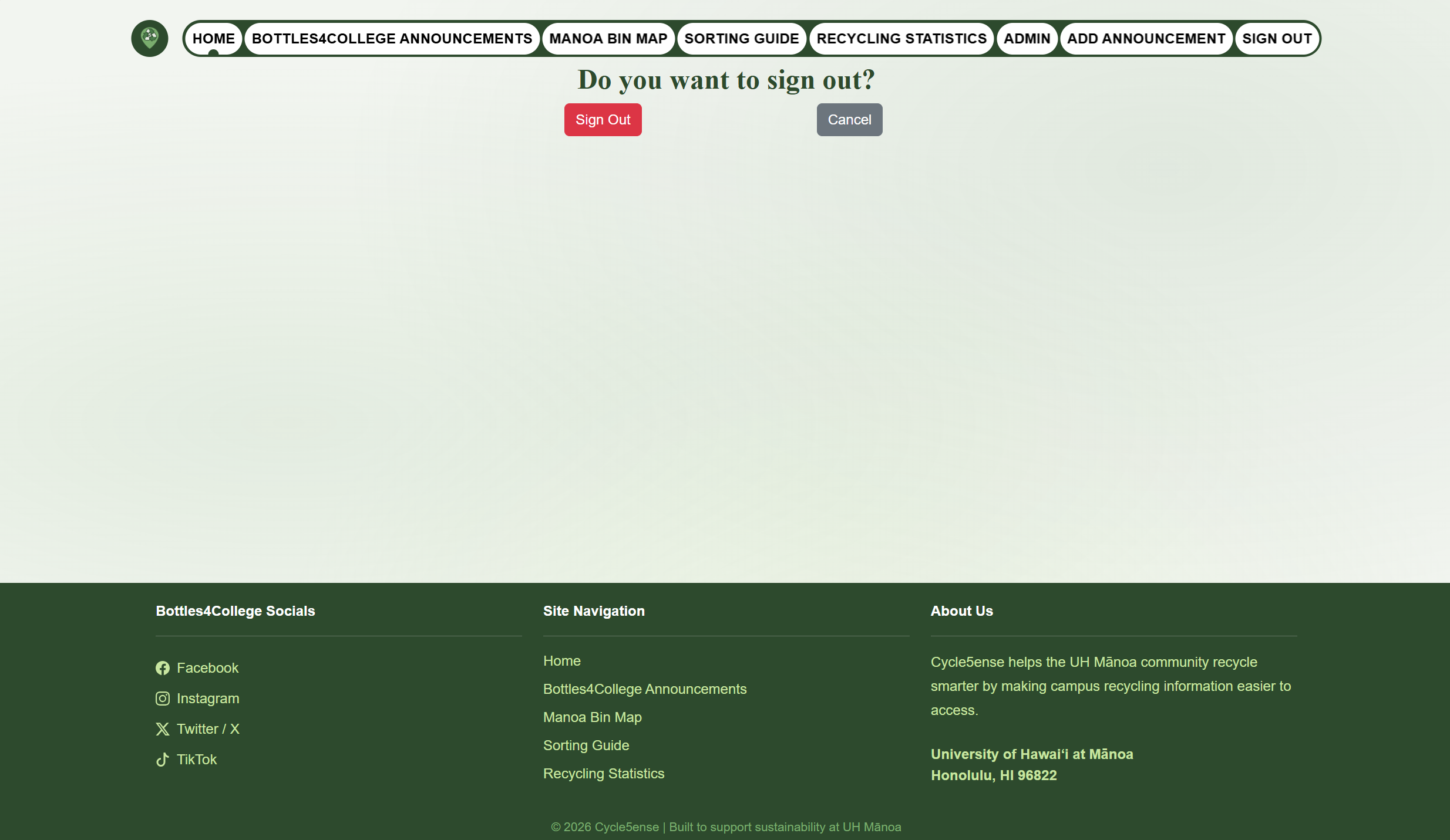
Users can sign out of their account at any time by clicking the Sign Out option in the navigation bar. They will be redirected back to the landing page upon signing out.
Bottles4College Announcements
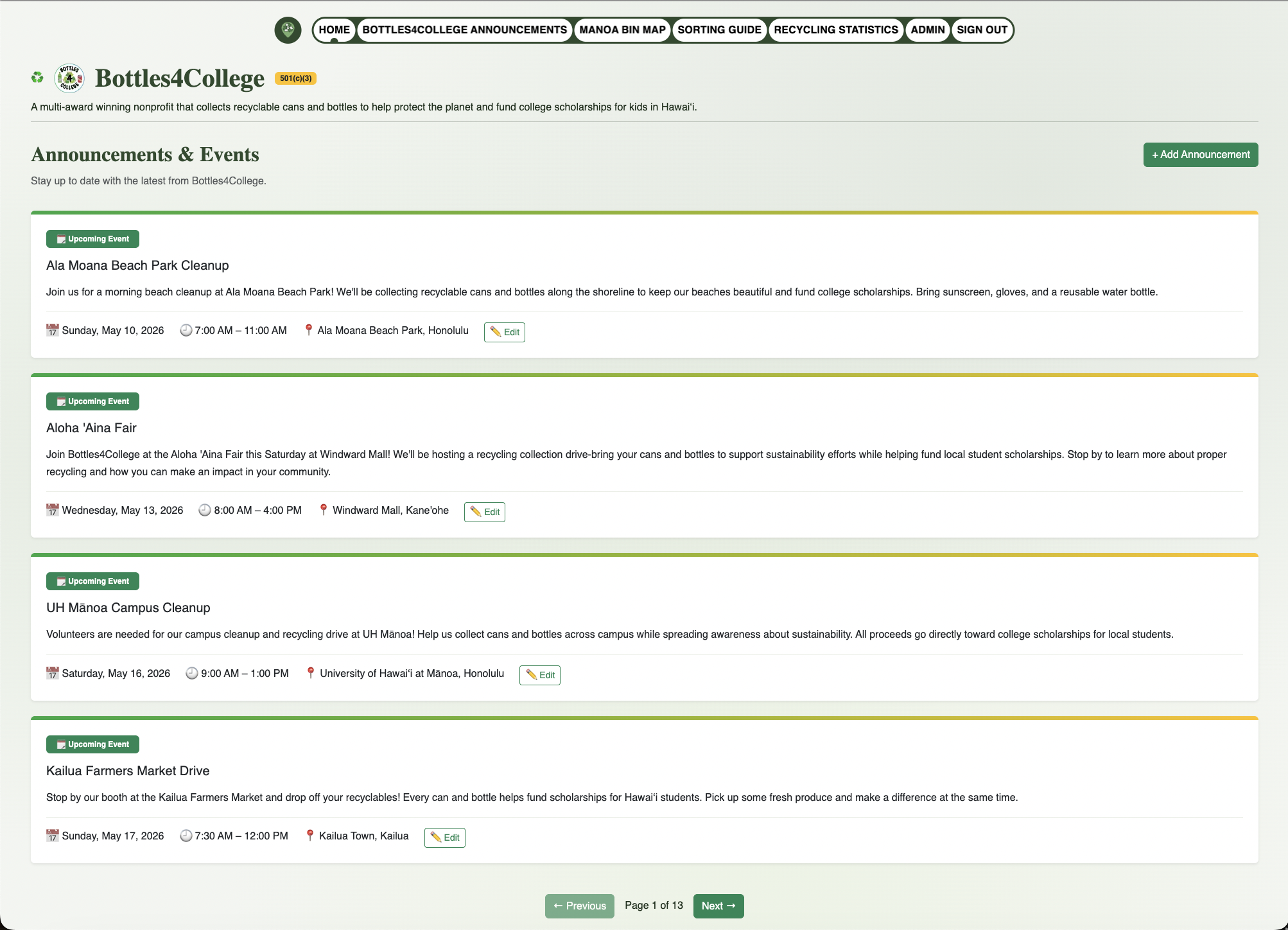
The Bottles4College Announcments page provides information about events and announcments from an organization called Bottles4College.

Admin Announcements (Admin Only)
The Admin Announcments page provides the buttons that allow admins to edit existing and add new announcements.
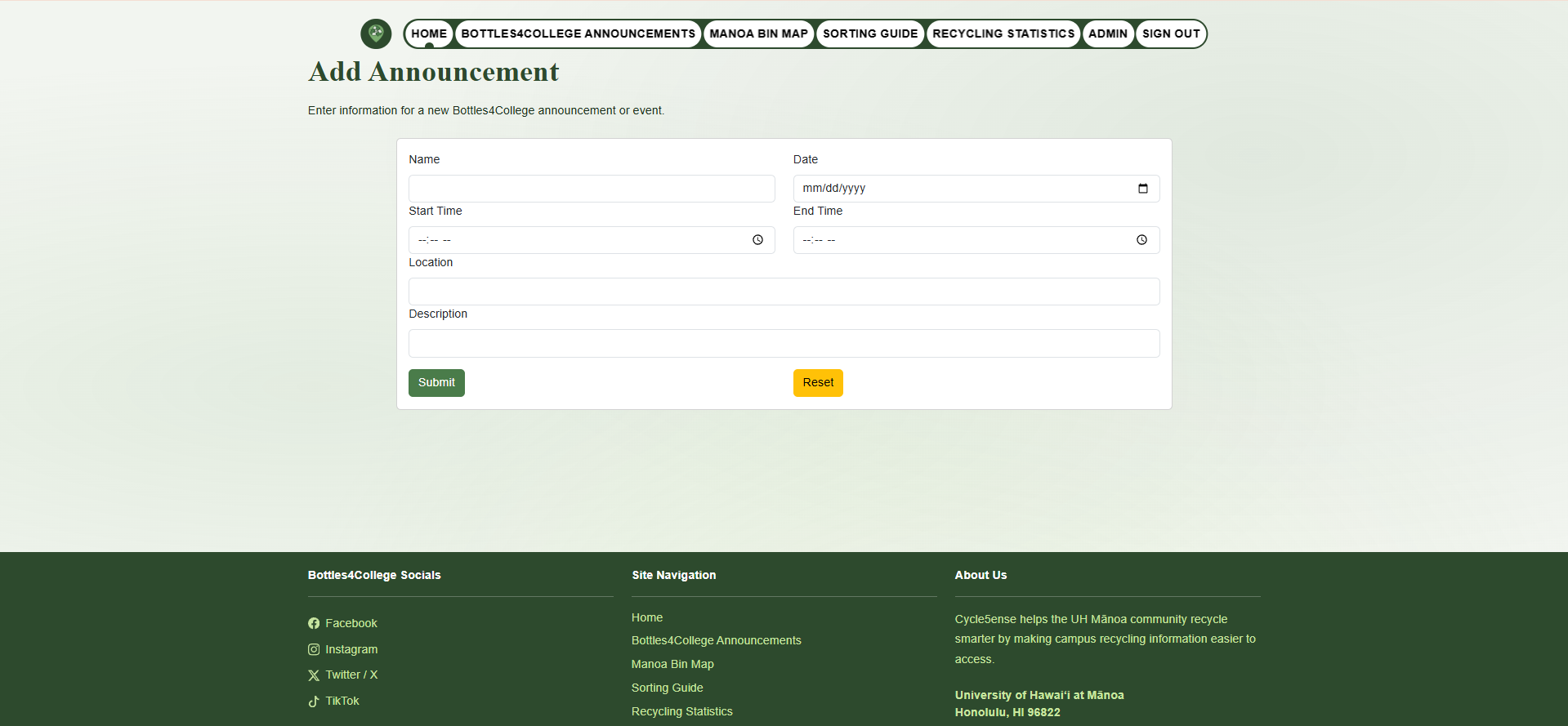
Add Announcements (Admin Only)
This page contains a form where an admin can add an announcment that will be displayed on the Bottles4College Announcements page.
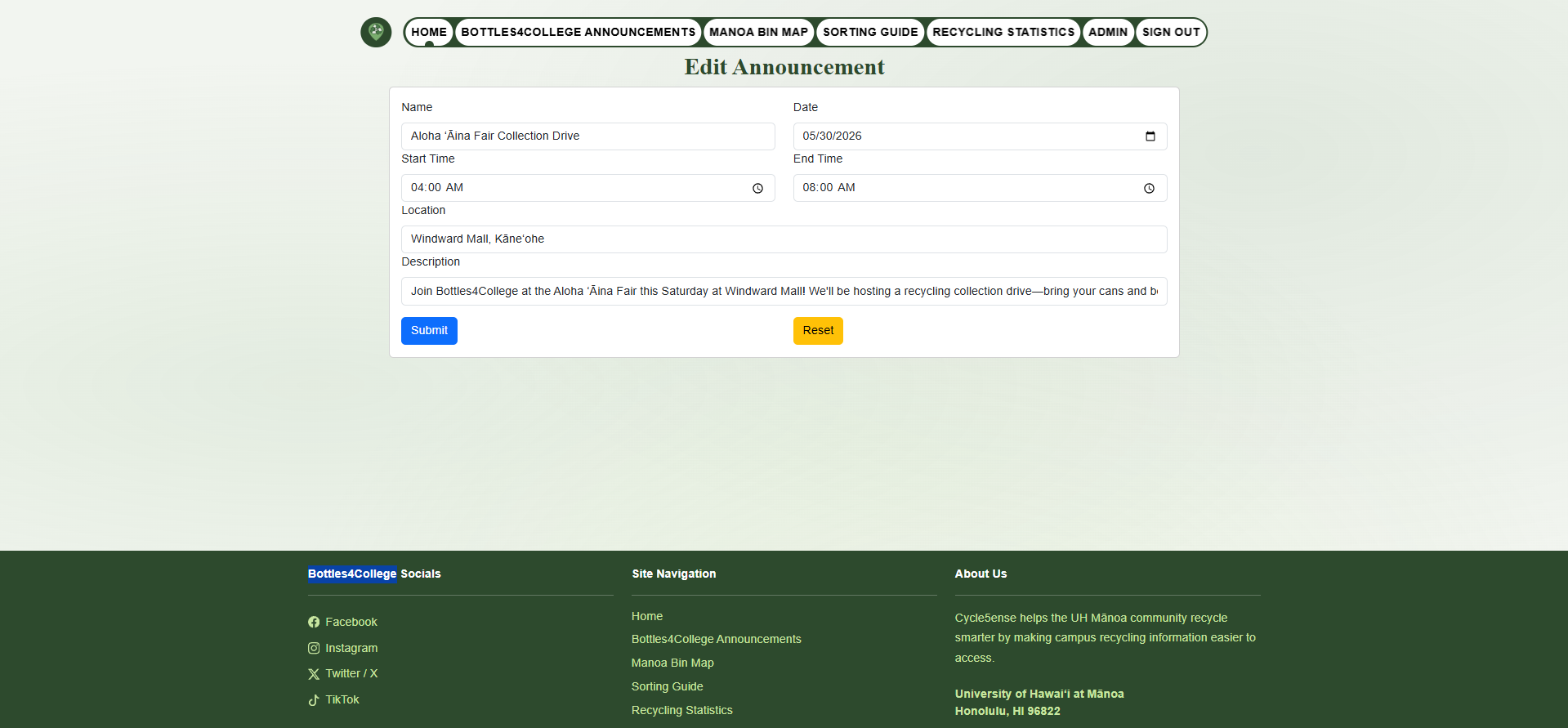
Edit Announcements (Admin Only)
If an admin is logged in, they can edit existing announcements displayed on the Bottles4College Announcements page. The edit form is pre-filled with the current announcement details, allowing the admin to update or remove the announcement.
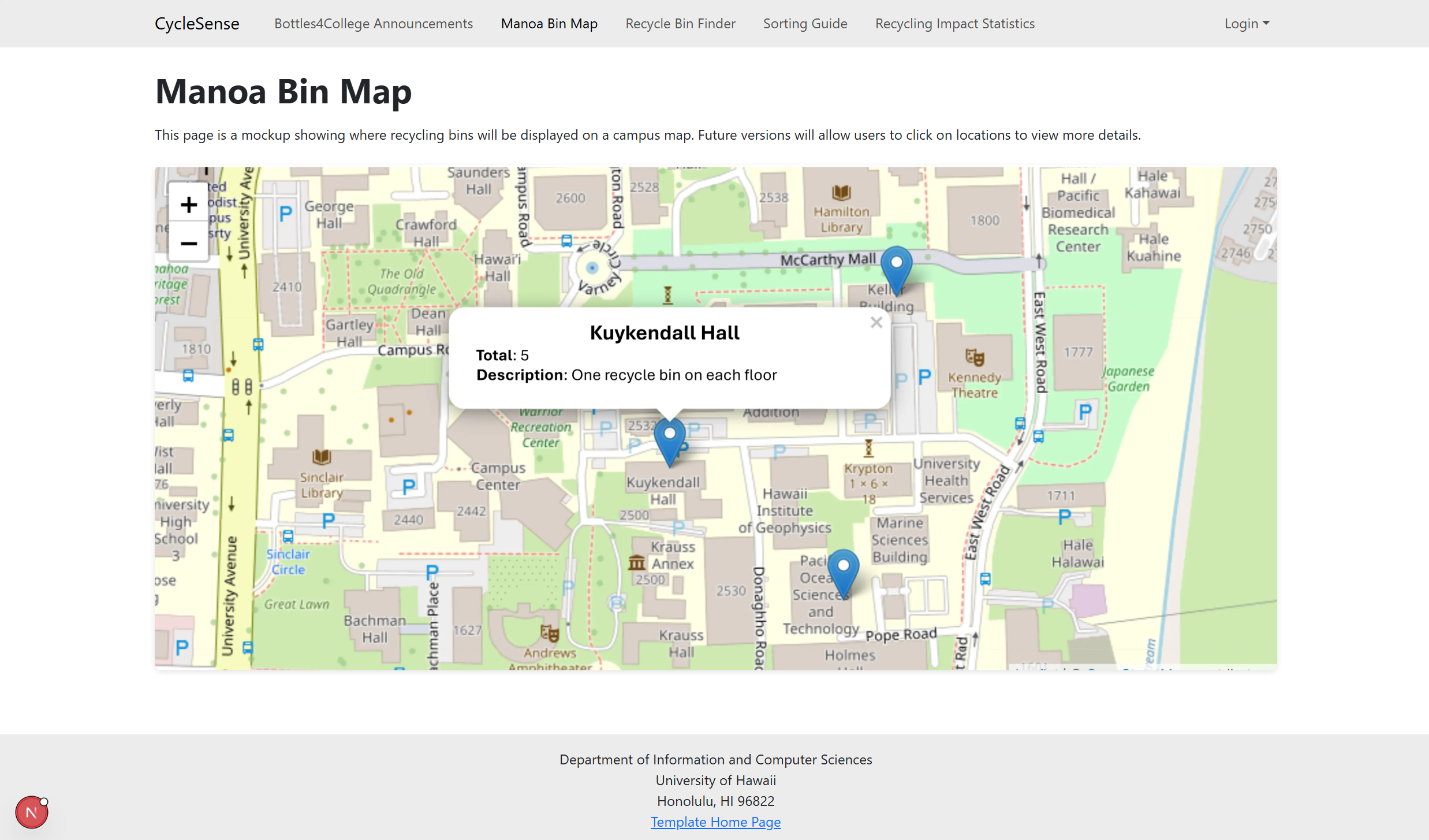
Map
The Map page uses an interactable map that showcases the manoa campus with pins that indicate where recycle bins are located.
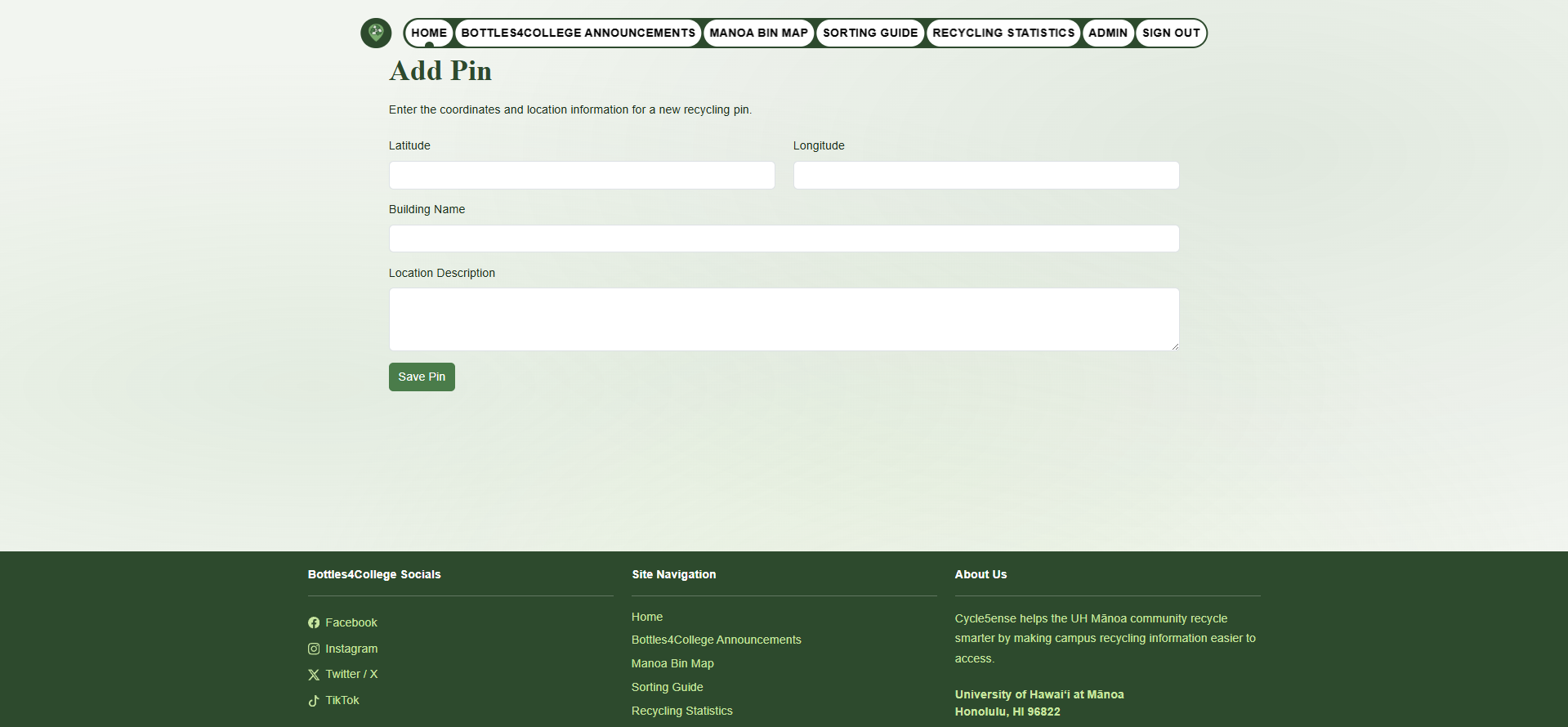
Add Pin (Admin Only)
If an admin is logged in, they can go to the map and click it. Afterwards, they will be redirected to the add pin page with pre-filled latitude and longitude data based on where they clicked on the map. The admin can then fill out the rest of the form to add a recycling bin location to the map.
Edit Pins (Admin Only)
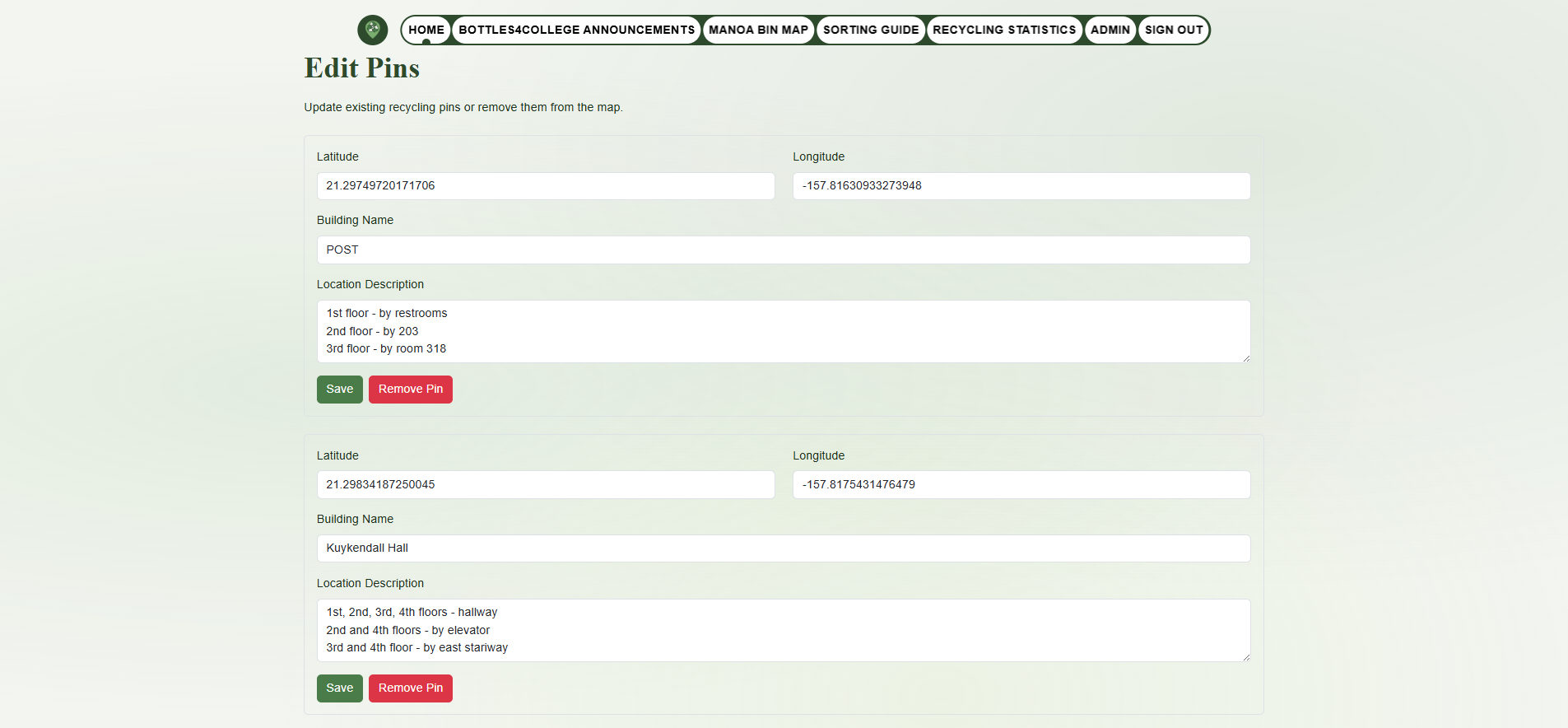
If an admin is logged in, when they click a pin there will be the option to edit it. Clicking this link will redirect them to the edit pins page allowing the admin to edit or remove exisitng pin information.
Sorting Guide
The Sorting Guide page displays information about what can and cannot be recycled based on actual regulations.

Recycling Impact Statistics
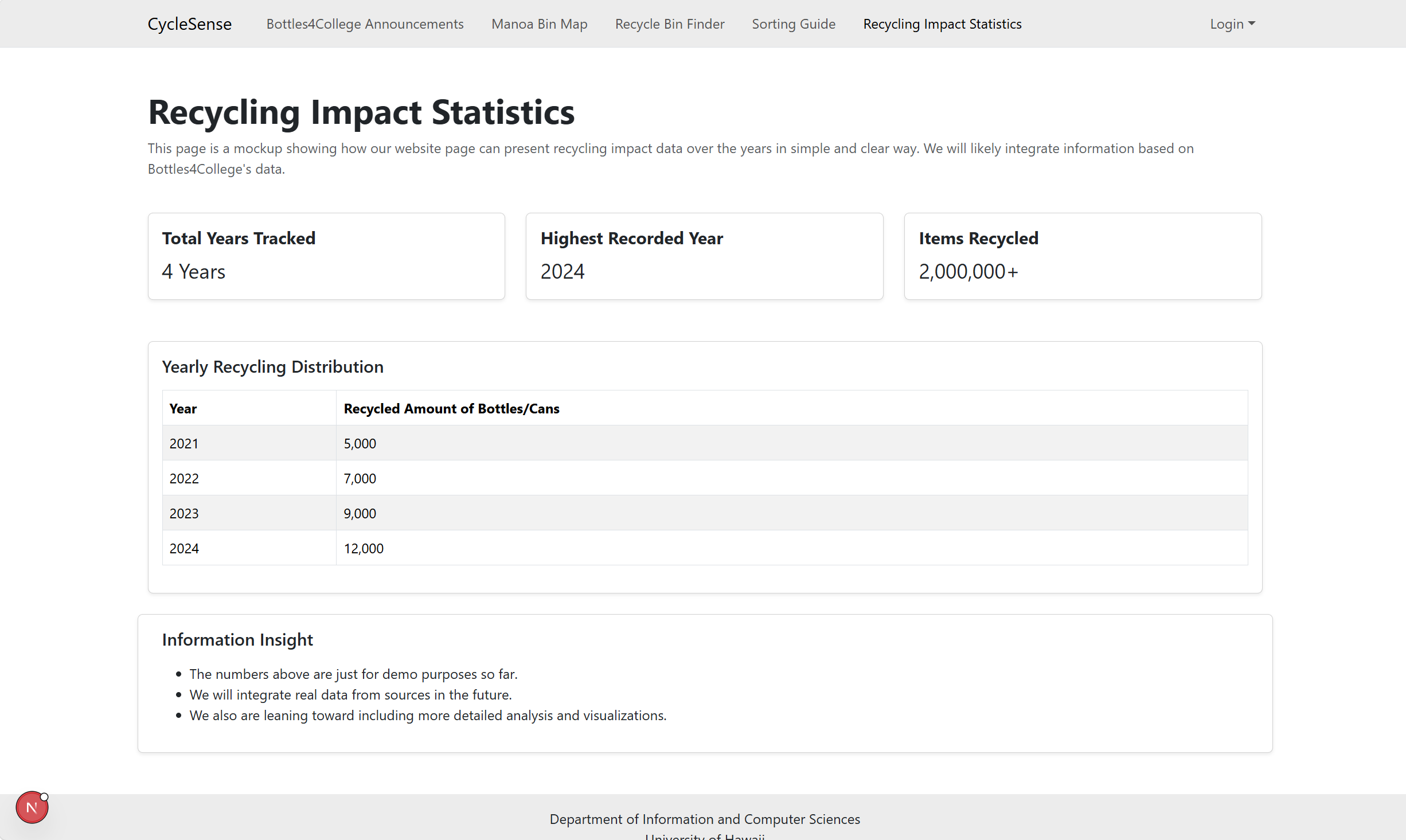
The Recycling Impact Statistics page shows data about how much has been recycled by users of the Cycle5ense website.
Admin Page
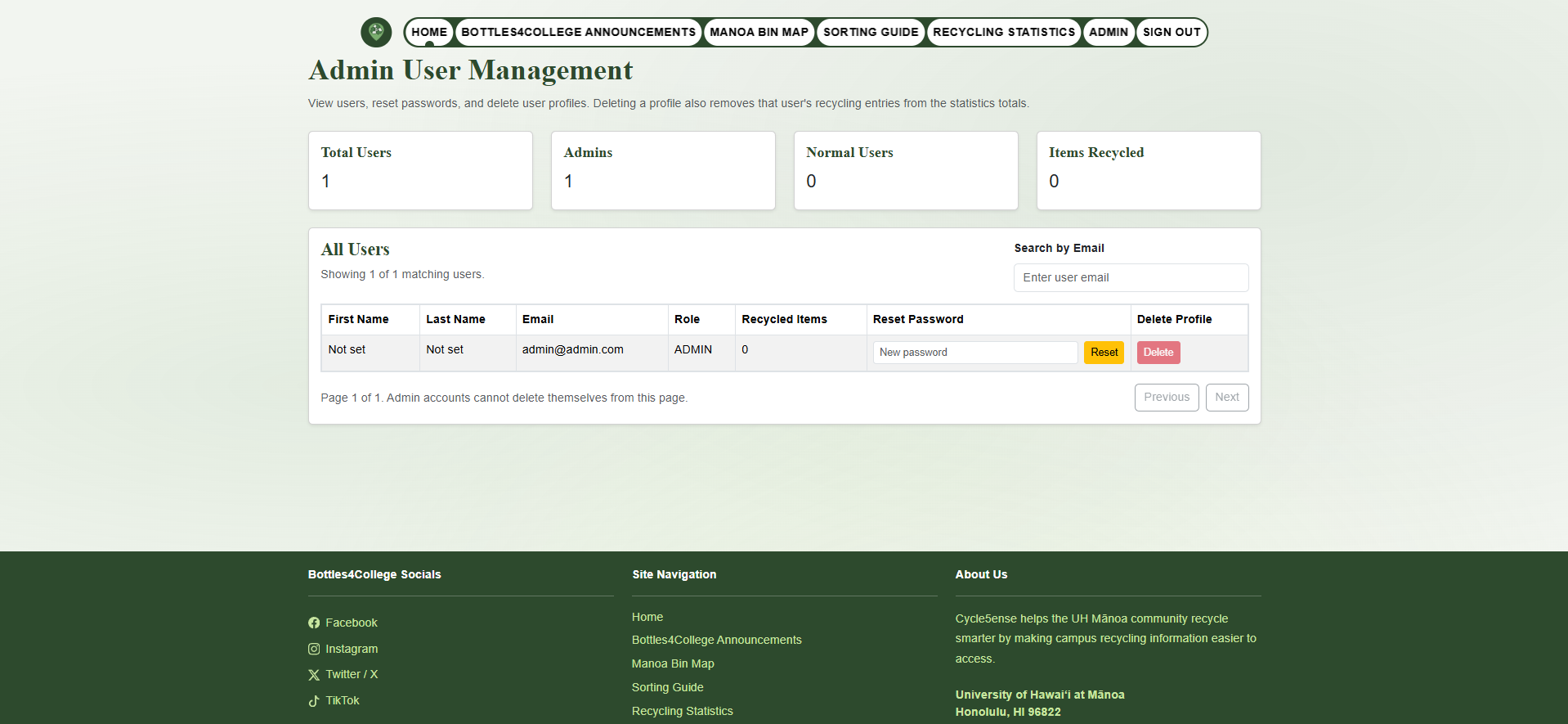
The Admin page is accessible only to users with the admin role. It displays a table of all registered users, showing each user’s email address, name, number of recycled items, and role. Admins can reset a user’s password or remove a user from the system directly from this page.
My Profile Page (Logged in Users)
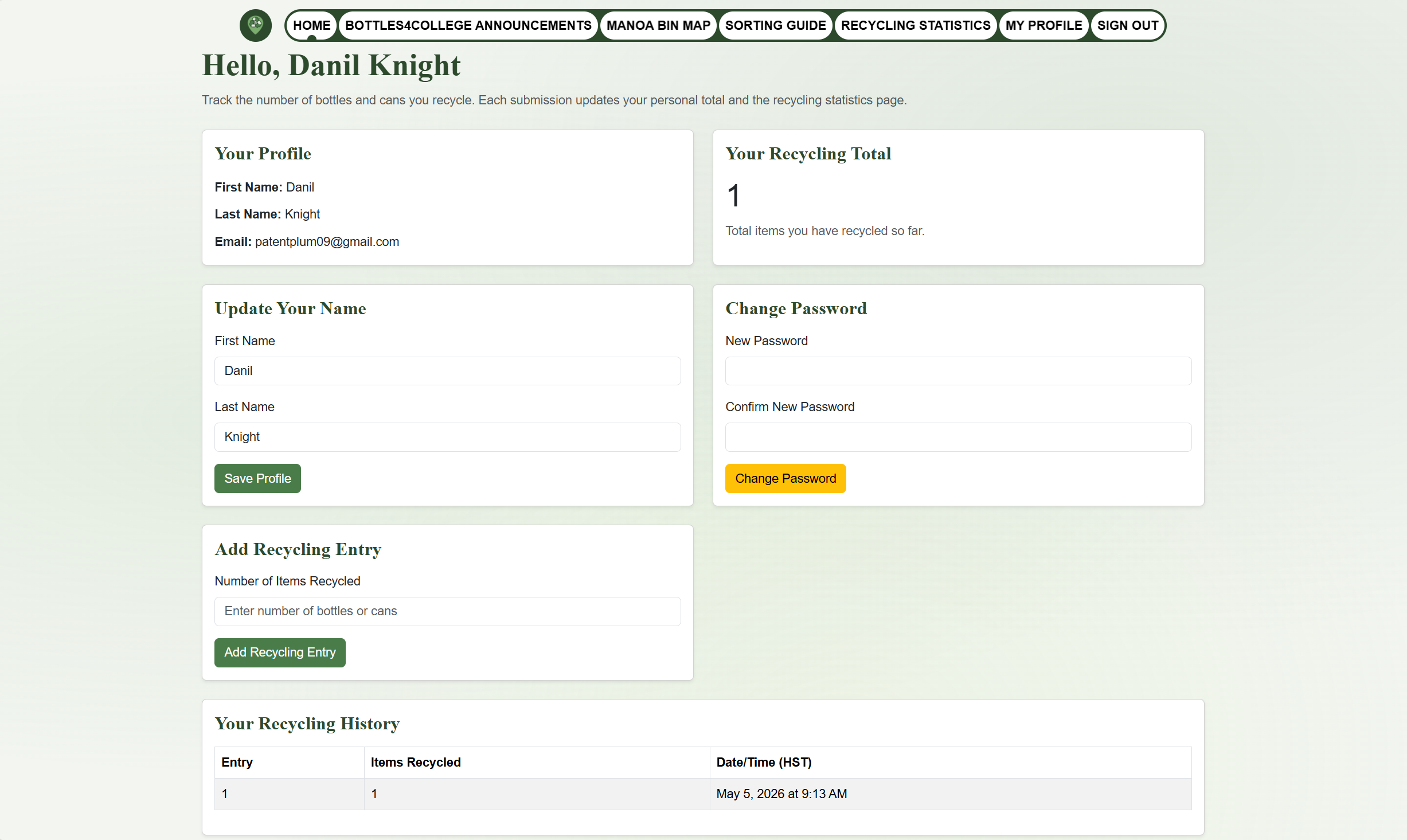
The My Profile page is available to all logged in users. It displays a summary of the user’s recycling activity, including the total number of items they have recycled. Users can also submit a form to log new recycling entries, recording the amount of items they have recycled.
Community Feedback
The community feedback we received was valuable in validating that the Cycle5ense website is serving its intended purpose - encouraging good recycling practices on campus. Users found the application intuitive and informative highlighting features such as the interactive map and clean design. Additionally, we received constructive feedback pointing out areas where our website could be improved. For instance, one user stated that the Sorting Guide page did not generate as intended. This aided in the discovery that the image gallery did not work specifically for Firefox browsers. These feedbacks guided our efforts in improving the website for users.
Some feedback we have received:
- Tayten Yau (UH Student): “It’s very informative and easy to navigate, with a user-friendly UI that’s easy on the eyes. I don’t know if it’s just me, but the Sorting Guide page seems to be bugged in that there’s a large gap between the header of the page and the actual information at the bottom. Based on my cursor icon, it seems like the page thinks there’s supposed to be a map I can click and drag like on the Manoa Bin Map page, but it just shows up as empty.”
- Zachary Pilarca (UH ECE Student): “This is actually really useful, there are times when I drink my coke and dont know where the nearest recycle location is. Very good for the environment.”
- Casey Shimazu (Resident of Hawaii): “I like the interactive elements, the color change on hover, the spinning home button, and the carousel on the sorting guide page. I think the only thing that throws me off is the bottles4college layout doesn’t span the page/reorient, but i think thats me being nitpicky. I like the colors and fonts”
- John Josan Valdriz (UH ECE Student): “Very smooth and lots of helpful information. love the unique concept of this website highlighting specific locations of recycling bins. also like how well detailed the locations are of each recycling bin”
- Hojo Pou (Resident of Hawaii): “The CycleSense map website is pretty cool. I like it because it’s simple and easy to use, and the interactive map makes everything clearer. It feels clean and straightforward, like something you can just open and understand right away.”
We are interested in your experience using the Cycle5ense application! If you would like, please take a couple of minutes to fill out the Cycle5ense Feedback Form.
Developer Guide
This section provides information of interest to developers wishing to use this code base as a basis for their own development tasks.
Installation
First, visit the Cycle5ense github page, and click the “Use this template” button to create your own repository initialized with a copy of this application. Alternatively, you can download the sources as a zip file or make a fork of the repo. However you do it, download a copy of the repo to your local computer.
Second, install dependencies with:
$ npm install
Third, setup the database. This appliaction uses prisma so create a .env file with the following information:
DATABASE_URL="postgresql://johndoe:randompassword@localhost:5432/mydb?schema=public"
AUTH_SECRET=Xmtn263YTsiFyQufW7V5YmfYGa3pZMsc
AUTH_URL=http://localhost:3000 # Base URL of your app
The DATABASE_URL should contain information to your own PostgreSQL database.
Fourth, run the following commands one at a time:
$ npx prisma generate
$ npx prisma migrate dev
$ npm run seed
Once the database is setup, run:
$ npm run dev
If all goes well, the application will appear at http://localhost:3000.
Application Design
Cycle5ense is based upon nextjs-application-template. Please use the documentation at those sites to better acquaint yourself with the basic application design in Cycle5ense.
Development History
Our website deployed via Vercel: Cycle5ense
The development process for Cycle5ense conformed to Issue Driven Project Management practices. In a nutshell:
- Development consists of a sequence of Milestones.
- Each Milestone is specified as a set of tasks.
- Each task is described using a GitHub Issue, and is assigned to a single developer to complete.
- Tasks should typically consist of work that can be completed in 2-4 days.
- The work for each task is accomplished with a git branch named “issue-XX”, where XX is replaced by the issue number.
- When a task is complete, its corresponding issue is closed and its corresponding git branch is merged into master.
- The state (todo, in progress, complete) of each task for a milestone is managed using a GitHub Project Board.
The following sections document the development history of Cycle5ense.
Milestone 1: Mockup development
The goal of Milestone 1 was to create a set of HTML pages providing a mockup of the pages in the system.
Milestone 1 was managed using Cycle5ense GitHub Project Board M1:
Milestone 2: Database and Pin System
The goal of Milestone 2 was to setup a database storing information of pin locations and how much each user has recycled. All stored information was used/displayed in at least one of Cyle5ense’s pages.
Milestone 2 was managed using Cycle5ense GitHub Project Board M2
Milestone 3: Real Data and Feedback
The goal of Milestone 3 was to add a significant amount of real data and share our website to many people on the UH Manoa campus to receive feedback. The feedback was used to further improve the website.
Milestone 3 was managed using Cycle5ense GitHub Project Board M3
Effort Estimation Report
Our team tracked estimated effort along with coding and non-coding effort throughout the development process: Cycle5ense Effort Estimation Spreadsheet
Team
Our Team Contract